
 0 Comments

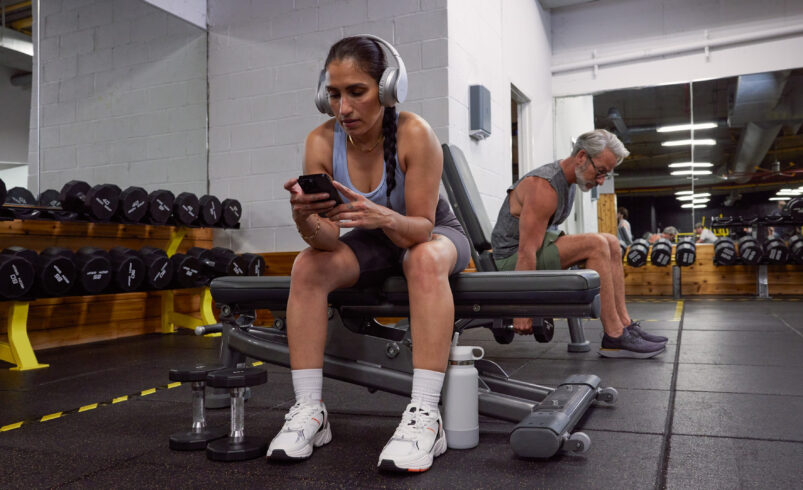
Finding the right gym app can feel overwhelming. With hundreds of options promising smarter training plans, faster results, and personalized coaching, it’s hard to know which one actually fits your goals, schedule, and budget.
Some apps focus on strength training. Others are built for runners, yogis, or at-home workouts. A few try to do it all. The best choice depends on how you like to move, and how you want fitness to fit into your life.
In this guide, we’ll rank the best gym apps by category, compare key features, and break down what to look for before you subscribe. We’ll also explore how platforms like ClassPass can complement digital fitness tools with access to in-person classes, gym time, and wellness appointments—so you can build a routine that works both on and off your screen.
What are gym apps and how do they work
Gym apps are mobile platforms that deliver structured workout programs, guided instruction, and built-in progress tracking, all in one place. They combine video demonstrations, written training plans, and performance dashboards inside an easy-to-use digital interface.
Designed to support a wide range of fitness goals, gym apps can help with strength training, endurance building, mobility work, and overall conditioning—whether you’re working out at home or in the gym.
Workout apps are a type of fitness app that focus on guided sessions with follow-along instruction. Tracking apps are a type of fitness app that focus primarily on recording performance metrics such as repetitions, weight lifted, distance, or time. Hybrid platforms combine guided workouts with performance tracking and scheduling tools.
Many gym apps offer both on-demand and live classes. On-demand classes are pre-recorded sessions you can start anytime, while live classes are scheduled in real time and may include interactive features like instructor feedback or leaderboards.
Some platforms use algorithm-based personalization to adjust programming based on user feedback and logged performance. Subscription models typically include tiered pricing, where premium tiers unlock advanced features such as detailed analytics or expanded program libraries.
Types of gym apps available for download
Gym apps fall into several major categories, typically defined by training style and primary use case. Each category supports a different fitness objective. Many users combine multiple app types to build a more balanced training routine.
- Strength training and weightlifting apps, like StrongLifts, Fitbod, and JEFIT, focus on progressive overload and resistance training structure.
- Cardio and conditioning apps emphasize guided workouts that elevate heart rate through intervals, cycling, treadmill-style sessions, or mixed-modality conditioning. Examples include Peloton and Apple Fitness+.
- HIIT and cardio-focused apps, including Freeletics and Centr, deliver interval-based sessions designed for time efficiency.
- Yoga and mobility apps focus on flexibility, balance, and guided flow sessions. OneAn example is Down Dog.
- Pilates and low-impact training apps emphasize controlled movement and core stability. An example is Alo Moves.
- Multi-discipline platforms combine several modalities in one ecosystem. Peloton is a leading example of this category.
Top gym app categories ranked by use case
The best gym app isn’t one-size-fits-all, it depends on your specific training goal. Whether you’re focused on building strength, improving endurance, increasing flexibility, or maximizing efficiency, different apps are built to support different outcomes.
Below, we’ve ranked leading gym apps within each category based on their primary use case. We’ll also explain how ClassPass can complement each app by adding access to in-person classes, gym time, and wellness experiences, helping you build a more well-rounded routine.
Best gyms apps for strength training
- StrongLifts: StrongLifts emphasizes simple, repeatable barbell progression with clear set and rep tracking. Complement with ClassPass: ClassPass can provide access to strength-focused studio classes or coached lifting sessions to refine technique and add variety beyond barbell basics.
- Fitbod: Fitbod uses logged performance data to generate adaptive strength workouts. Complement with ClassPass: ClassPass allows users to attend in-person strength or functional training classes to experience coached cueing and new equipment formats.
- JEFIT: JEFIT focuses heavily on exercise tracking and custom workout logging. Complement with ClassPass: ClassPass provides structured instructor-led sessions that can introduce new programming styles to supplement self-built routines.
Best gym apps for guided cardio workouts:
- Peloton: Peloton offers guided cycling, treadmill-style running, and cardio classes with structured programming and instructor cues. Complement with ClassPass: ClassPass provides access to spin studios, treadmill studios, rowing workouts, or boxing classes to diversify cardio stimulus beyond one app format.
- Apple Fitness+: Apple Fitness+ offers follow-along cardio, HIIT, cycling, and treadmill workouts that integrate with performance tracking. Complement with ClassPass: ClassPass can add in-person cardio formats such as rowing, spins, or circuit classes that provide live energy and real-world equipment variety.
- Freeletics: Freeletics emphasizes high-intensity interval sessions with minimal equipment. Complement with ClassPass: ClassPass can add instructor-led HIIT classes that reinforce pacing, technique cues, and group motivation.
Best gym apps for beginners starting at home:
- Centr: Centr provides structured programs with bodyweight and minimal-equipment options. Complement with ClassPass: ClassPass allows beginners to attend entry-level studio classes for live instructor support and foundational skill building.
- Sweat: Sweat offers progressive multi-week programs designed for home or gym use. Complement with ClassPass: ClassPass enables occasional in-person sessions to reinforce technique and prevent monotony.
Best gym apps for mobility and flexibility routines
- Down Dog: Down Dog delivers customizable yoga sessions across multiple levels. Complement with ClassPass: ClassPass offers access to yoga studios with instructor adjustments and diverse teaching styles.
- Alo Moves: Alo Moves includes yoga, Pilates, and mobility classes on demand. Complement with ClassPass: ClassPass provides in-person Pilates or mobility sessions that add real-time feedback.
Pros and limitations of app-only training
App-only training offers flexibility, structured programming, and built-in progress tracking. You can work out anytime, follow guided plans, and log performance data all in one place.
But digital training has limits. There’s no real-time form correction, limited access to specialized equipment, and less of the energy and accountability that come from in-person classes.
Pairing an app with ClassPass can help fill those gaps. Adding live instruction, new training environments, and access to studios, gyms, and recovery services creates a more balanced and motivating routine.
Key features to look for in a gym app
The right gym app should match your goals, experience level, and training environment.
- Personalization tools help align programming with your fitness goals, whether that’s building strength, improving endurance, or increasing mobility.
- Clear video demonstrations support proper form and safer movement execution.
- Progress dashboards and workout logs make it easy to track measurable results over time.
- Equipment filters allow you to tailor workouts to what’s actually available—at home or in the gym.
- Offline access improves usability while traveling or training without reliable Wi-Fi.
- Community features like leaderboards or challenges can boost accountability and motivation.
When comparing apps, consider what might be missing. Platforms like ClassPass can supplement digital training with live coaching, studio-grade equipment, and access to new training environments—helping round out your overall fitness routine.
Benefits of using gym apps
Gym apps make it easier to stay consistent. With flexible scheduling and on-demand access, you can work out whenever it fits your routine—at home, in the gym, or while traveling.
Structured programs remove the guesswork, reducing planning time and helping you follow a clear progression. Built-in performance tracking provides measurable data, so you can monitor improvements in strength, endurance, or mobility over time. Guided video demonstrations also build confidence, especially when learning new exercises or techniques.
Many gym apps allow you to train across multiple locations and offer predictable monthly subscription pricing, making budgeting simpler.
To round out these benefits, platforms like ClassPass add live instructor feedback, access to studio-grade equipment, and the energy of in-person classes—helping turn digital consistency into a more dynamic fitness routine.
Limitations of gym apps
While gym apps offer convenience and structure, they also have limitations. Most apps don’t provide real-time form correction, which can make it harder to refine technique or avoid injury—especially during complex or heavy lifts. Motivation can also dip without the energy and accountability of a group setting or live instructor.
Training at home may limit access to specialized or studio-grade equipment, and over time, screen fatigue can reduce engagement with digital-only workouts.
Platforms like ClassPass help address these gaps by offering instructor-led classes, hands-on coaching, and social training environments; bringing energy, variety, and real-world accountability back into your routine.
How class-based platforms complement gym apps
ClassPass is a platform that allows users to book in-person fitness classes using monthly credits. ClassPass complements gym apps by adding structured instructor guidance and studio access.
Using a gym app for weekday strength sessions can build consistency. Using ClassPass credits for weekend specialty classes can introduce new movement styles.
ClassPass offers flexible credit plans based on usage frequency. Credits can be applied to different studios and formats, allowing experimentation without committing to one location.
Balancing digital training with in-person sessions may increase long-term engagement and skill exposure.
Choosing between app-only training and in-person classes
App-only training offers independence and flexibility. You control your schedule, choose your workouts, and train wherever it’s most convenient. It’s ideal for self-directed individuals who prefer autonomy and adaptable timing.
In-person classes, on the other hand, provide structured schedules, hands-on instruction, and built-in accountability. A set class time, live coaching, and group energy can help maintain consistency, especially when motivation dips.
Accountability also looks different in each format. Apps rely on self-discipline, progress tracking, or digital reminders, while in-person classes create external accountability through instructors and community. Social dynamics and shared experiences can significantly influence motivation and long-term adherence.
For many people, a hybrid approach works best. Using a primary gym app for day-to-day training while booking periodic ClassPass sessions for instructor-led classes adds variety, structure, and real-world energy—without sacrificing flexibility.
How to build a hybrid fitness routine
Building a hybrid fitness routine means combining the flexibility of app-based training with the structure and energy of in-person classes.
Start by scheduling two to three app-based strength or cardio sessions per week. These workouts create consistency and allow you to follow a progressive plan at your own pace. Then, allocate ClassPass credits for one specialty class each week, such as reformer Pilates, boxing, yoga, or a coached strength session, to introduce live instruction and fresh stimulus.
To make your hybrid fitness routine sustainable:
- Rotate training modalities to avoid repetition and reduce overuse injuries.
- Adjust weekly intensity based on fatigue, stress levels, and recovery.
- Track workouts across both platforms to maintain a unified progress log and ensure steady progression.
A well-designed hybrid fitness routine supports flexibility, accountability, and long-term results, giving you the structure of coached sessions without sacrificing the convenience of digital training.
Cost structure and subscription considerations
Most gym apps operate on monthly subscription models, often with tiered pricing. Basic plans typically include core workout libraries and tracking tools, while premium tiers unlock expanded features like advanced analytics, personalized programming, or exclusive content.
Many platforms offer free trials, allowing users to evaluate usability, content quality, and fit before committing. Subscription terms, renewal policies, and cancellation rules vary by provider, so reviewing the details upfront is important.
ClassPass uses a credit-based monthly membership model. Members select a set number of credits based on how often they plan to book classes or appointments. Higher credit plans allow for more frequent studio visits or access to higher-demand experiences.
If you’re building a hybrid routine, budget planning should account for both digital subscriptions and in-person class credits. Choosing the right balance depends on how often you train, the types of workouts you prefer, and how much structure or live instruction you want in your routine.
Gym apps for beginners
The best gym apps for beginners prioritize clarity, structure, and simplicity. Clear video demonstrations and step-by-step instructions help build confidence and support proper form from day one. Structured progression plans guide users through gradual increases in intensity, reducing the risk of burnout or injury.
Beginner-friendly apps often include low- or no-equipment workout options, lowering the barrier to entry for those training at home. Shorter session lengths can also improve consistency, making it easier to build a sustainable habit. Simple tracking dashboards reinforce progress without overwhelming new users with too much data.
Pairing a beginner-focused gym app with entry-level classes booked through ClassPass can further strengthen foundational skills. Live instructor feedback, hands-on guidance, and supportive studio environments help reinforce proper technique—boosting both confidence and long-term adherence.
Gym apps for experienced athletes
Experienced athletes often prioritize advanced programming and performance analytics. Features like customizable splits, periodized training blocks, and detailed dashboards for tracking load and intensity support long-term progression and goal-specific development.
To complement app-based training, ClassPass provides access to specialty classes such as strength clinics or sport-specific sessions, adding hands-on coaching and skill refinement beyond digital programming.
Common mistakes when using gym apps
Switching programs too often can disrupt progress and limit adaptation. Skipping recovery days or overestimating training frequency may lead to fatigue and inconsistency. Ignoring warm-ups can also reduce workout quality and increase injury risk.
Relying solely on digital instruction without variety may limit exposure to new techniques. Supplementing with occasional ClassPass sessions can introduce alternative coaching perspectives.
How to stay consistent with a gym app
Staying consistent with a gym app starts with setting realistic weekly goals. Plan two to four workouts you can actually commit to, and schedule them in advance like any other appointment.
Use in-app reminders, progress logs, and streak tracking to reinforce habit formation and visualize momentum. When possible, add accountability, whether that’s a workout partner, a shared goal, or a digital challenge.
To prevent burnout or boredom, incorporate occasional ClassPass classes to refresh your routine and boost motivation with live instruction and group energy.
Finding the right fitness app for your goals
Choosing the right gym app starts with identifying your primary objective. Are you focused on building strength, improving endurance, increasing mobility, or maintaining general conditioning? Your main goal should determine which category of app best fits your needs.
Next, match the app’s features to your training preferences. Look at programming style, personalization tools, scheduling flexibility, and whether workouts align with the equipment you have access to. An app should support your lifestyle, not complicate it.
As your goals evolve, your training approach should evolve, too. Adapting your plan over time helps prevent plateaus and supports long-term sustainability.
For a more well-rounded routine, consider blending digital training with in-person sessions through ClassPass. Pairing app-based structure with live coaching, new training environments, and specialty classes gives you both autonomy and expert guidance—helping you stay consistent while continuing to progress.
Explore classes near you with ClassPass and bring your training to life.
Frequently asked questions about gym apps
Are gym apps effective for building strength?
Yes, gym apps can be effective for building strength when they include structured progression, progressive overload, and consistent performance tracking. Apps that guide rep ranges, load increases, and recovery periods tend to produce better long-term results.
Can a gym app replace a gym membership?
A gym app can replace some functions of a gym membership—such as programming and workout guidance—but it may not replace access to specialized equipment or live coaching. For some users, pairing a gym app with occasional in-person sessions offers a more complete solution.
How often should a fitness app be used?
Most people use a fitness app two to four times per week, depending on their goals, schedule, and recovery capacity. Consistency matters more than daily intensity.
Do you need equipment to use a gym app?
Whether you need equipment depends on the app. Some gym apps offer bodyweight-only programs, while others are designed around dumbbells, barbells, machines, or cardio equipment.
Can you combine gym apps with ClassPass?
Yes, you can combine gym apps with ClassPass. Using an app for structured digital programming and booking instructor-led classes through ClassPass adds live coaching, equipment variety, and training diversity to your routine.
What credit amount is appropriate for occasional classes on ClassPass?
If you plan to attend one or two studio classes per month, a lower monthly credit allocation is typically sufficient. Your ideal credit amount depends on class frequency, class type, and local credit pricing.